Microsoft has just introduced about Windows 11, the next of Windows. They also have launched the Windows 11 official page.
If you get excited about the “new” Windows and wonder if your current system can run it, Microsoft provides a tool to check at here.
I was confident, with the i7 9700 CPU, 48 GBs of memory and Samsung SSD 970 PRO. It would be a joke if my PC cannot run Windows 11.
However,
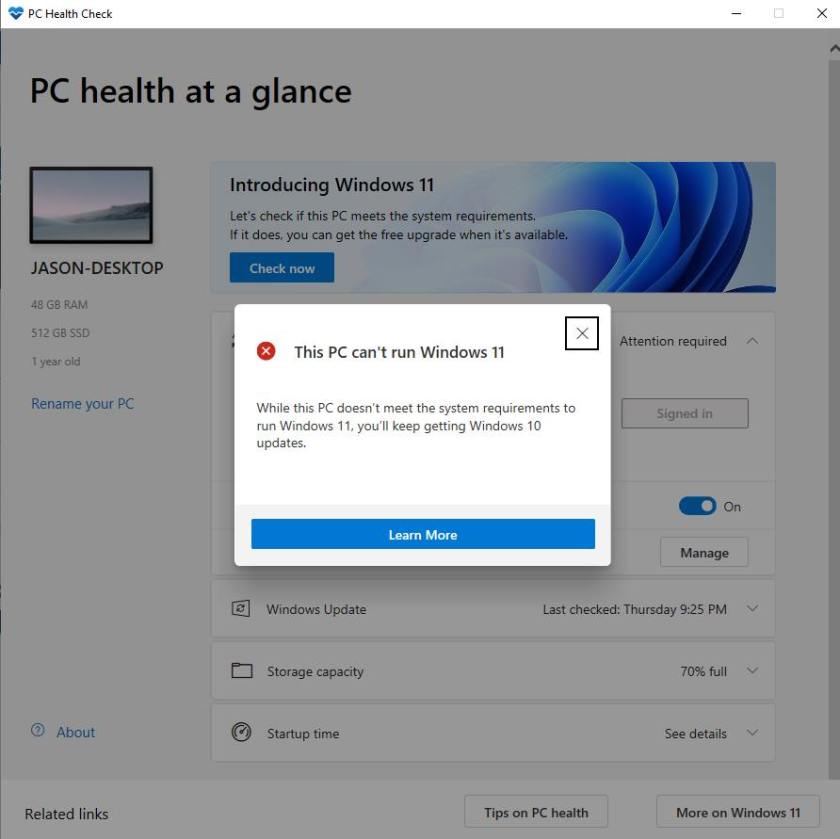
In that very moment, I was though that Microsoft was “kidding” me. After some searching, I found a website from Microsoft tells about the “minimum requirements” for Windows 11. And, I found this:
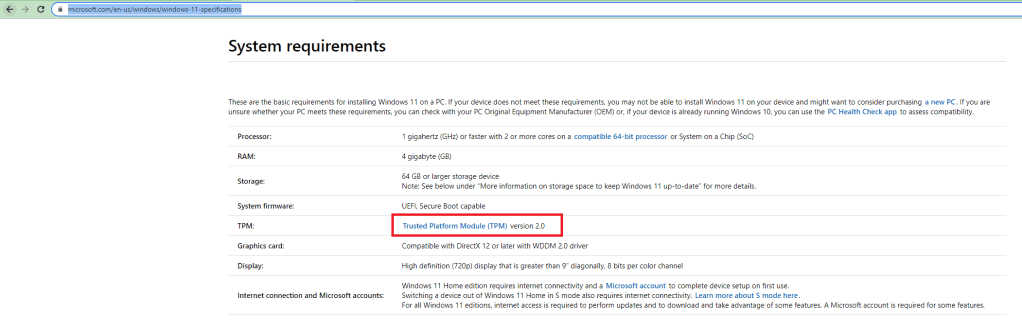
Trusted Platform Module was never “required” to run Windows before. But now, Windows 11 asks you to have it?
After checking, I knew that my PC had not turned on TPM yet and Windows Settings told me about something like “Your system does not have TPM or you have not turned it on on your BIOS” – as I remember.
So, I searched on the Google & knew that we can turn on TPM on Advanced settings on BIOS which known as “Trusted Computing” setting. Then, I restarted the PC and looked for everything on the BIOS, but saw no “Trusted Computing”.
Well, after googling, I found that the mainboard needs to have a module/chip of TPM. That something like:
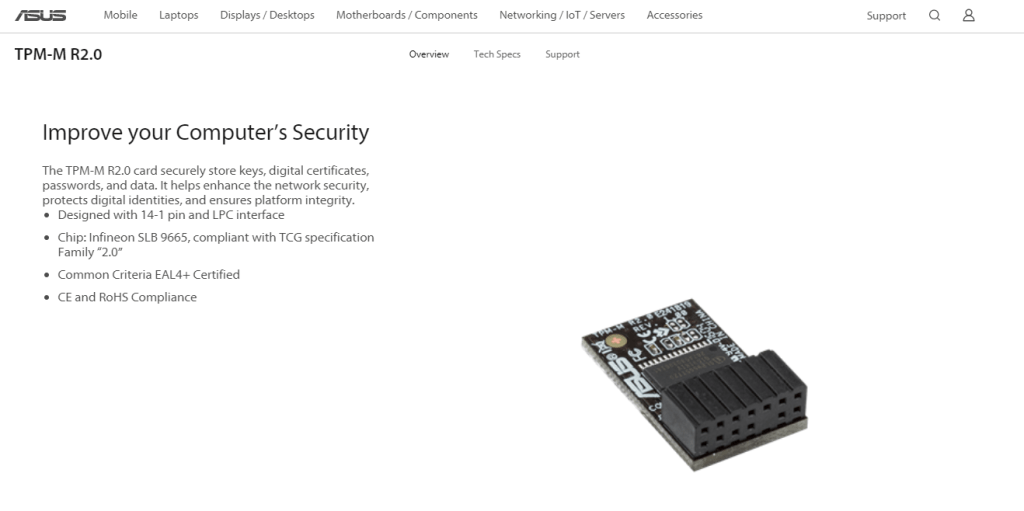
This was a joke to me. I opened the cover of the PC case, and…
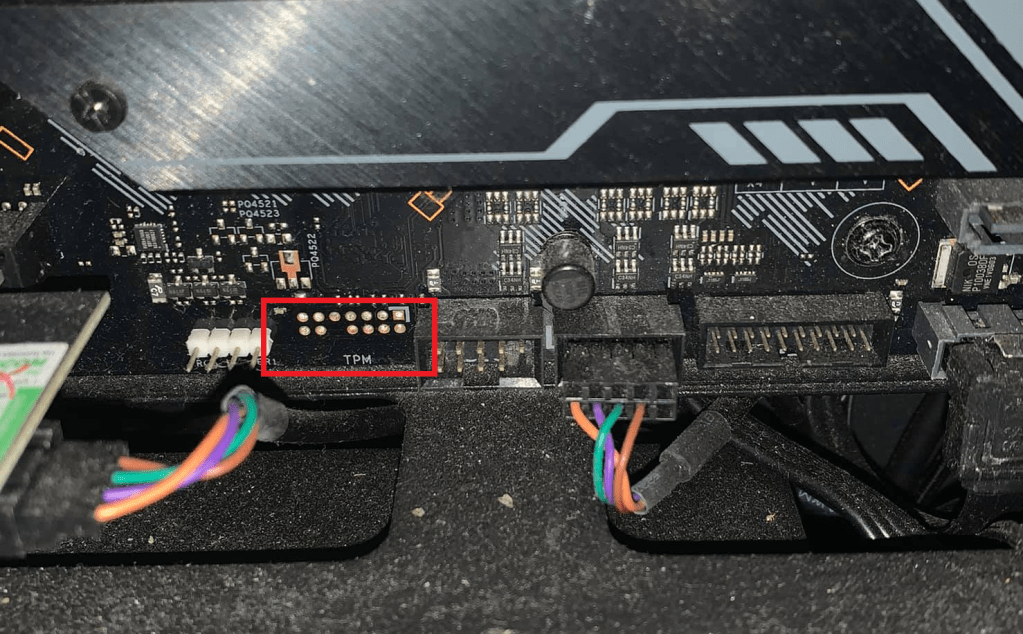
Well, there was a port to put that module into the mainboard. But, no module to put.
I could not believe that the system cannot run Windows 11. It’s just 1 year old.
I tried to search everything on the BIOS and found one strange setting:
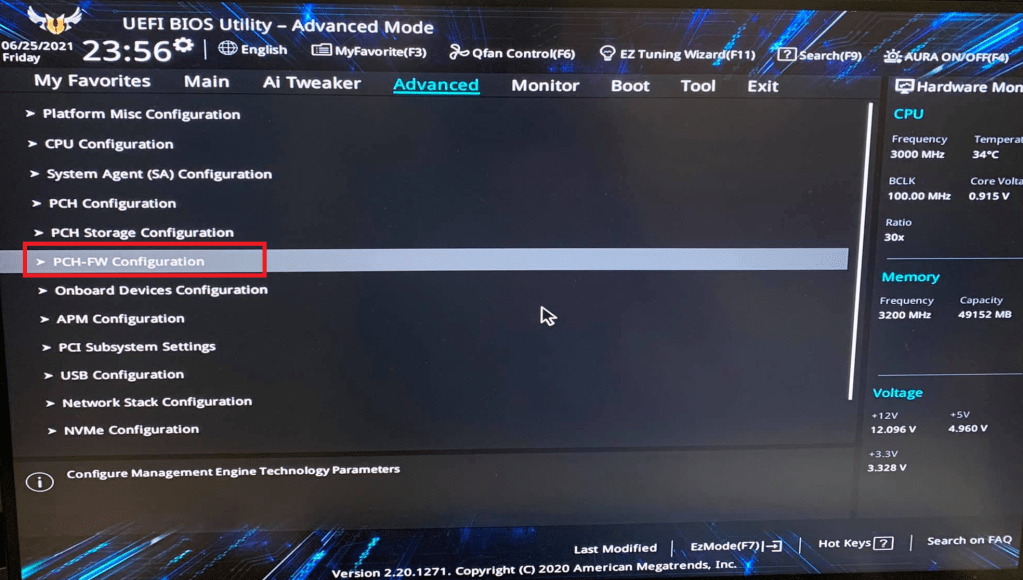
As I understood, this looked like some firmware configuration. Ok, let’s try.
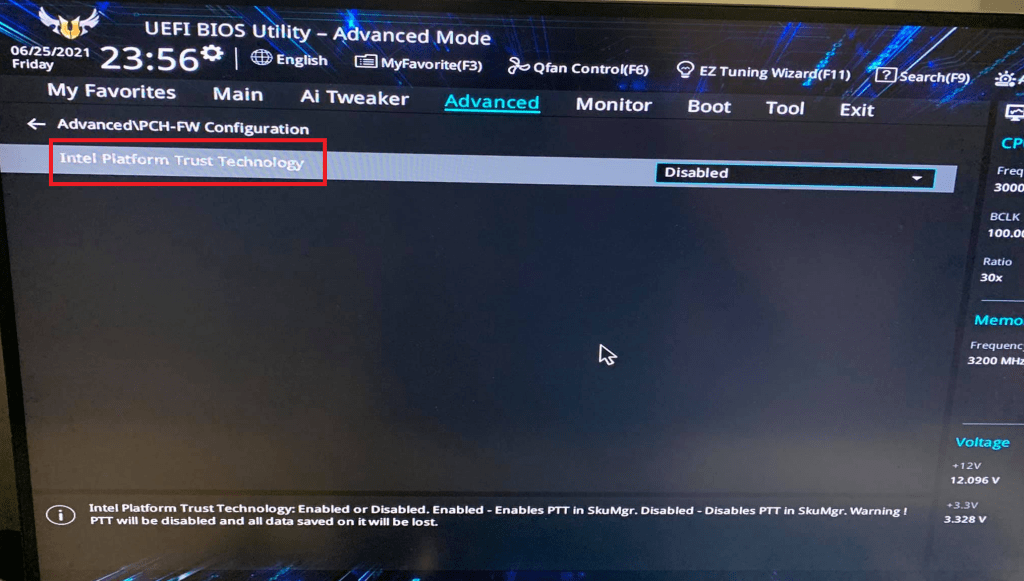
There was only one setting on this section. That’s call “Intel Platform Trust Technology”… Well something like “Trusted Platform”?? Right?
I did not know what was that. But base on the information on Intel website, I thought it has features look like TPM does, but I was still not sure. Ok. Let’s try.
After I tried to enable it, there was a notification:
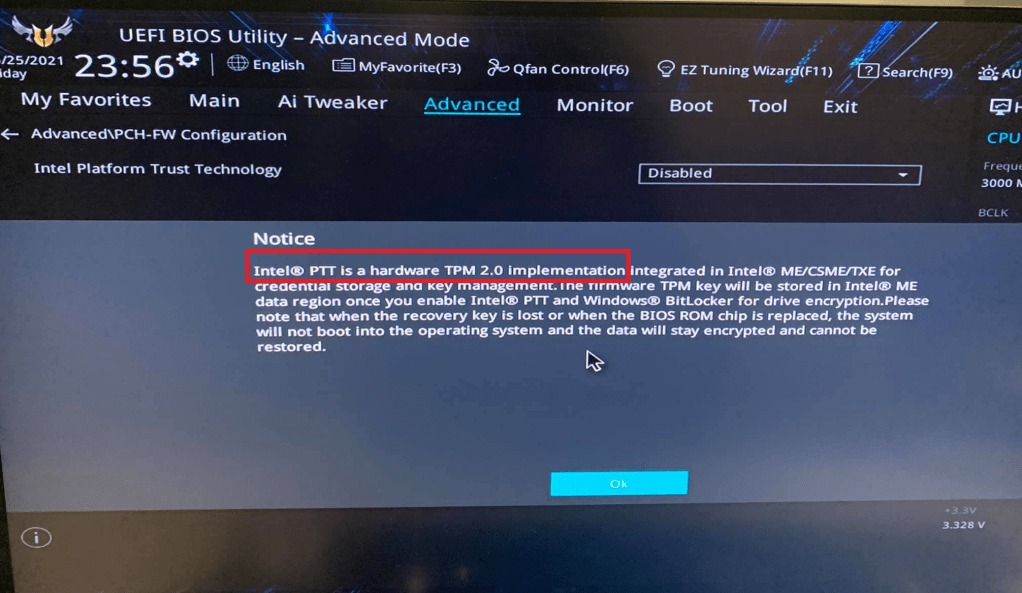
Ta-da, here is it. Well, my Intel CPU has already implemented the Trusted Platform.
After saved & restarted the PC, the BIOS advanced settings now has “Trusted Computing” section.
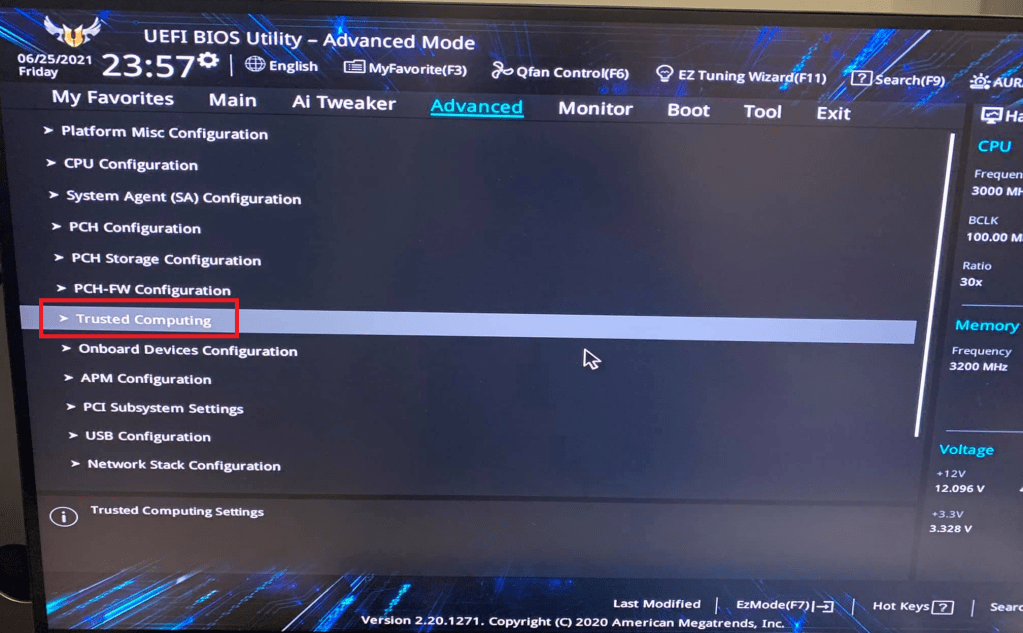
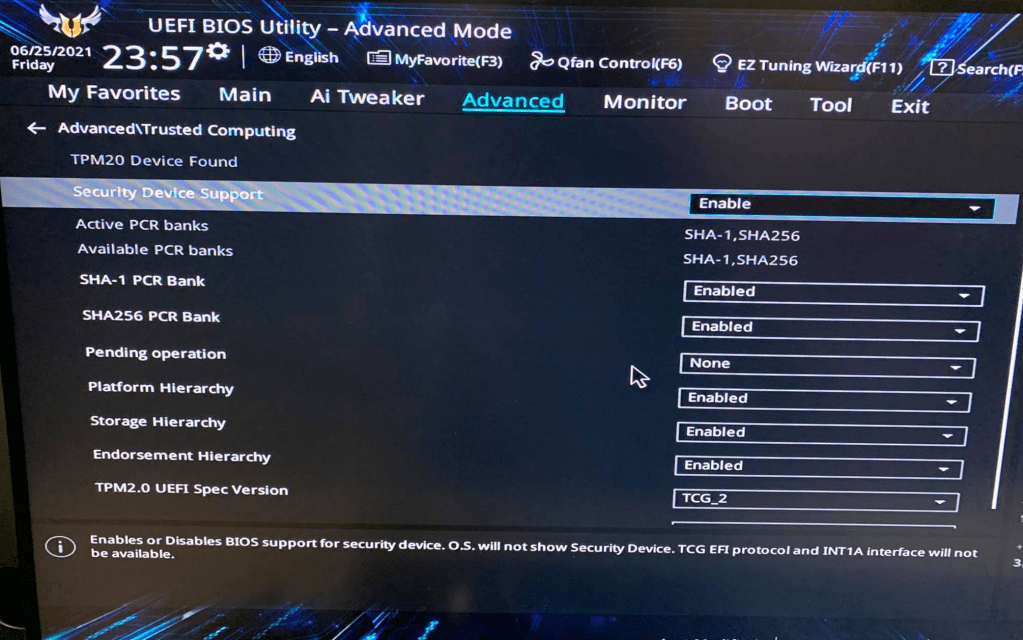
Cool!
Let’s check again with the Windows 11 “heath check”.

Finally, my PC can run Windows 11.
I had never ever thought about the TPM before. I just don’t need to use BitLocker. For me, TPM only required to use BitLocker. It might be used for other things, but I just don’t care.
Ok. Hope you can find a way to make your PC able to run Windows 11.
Jason.
 JASON NGUYEN